

Your login credentials is the main safeguard for your weiterlesen hier account. For players in Zurich, Geneva, or a quiet village in the Alps, the login and registration page is where your account security originates. This guide details updating your password, regaining access if you lose it, and the verification steps we ask Swiss players to carry out. We also address two-factor authentication, session management, and useful solutions for common password errors. The goal is a straightforward, no-nonsense path so you can ensure your profile protected.
Account Verification and KYC: Their Impact on Login Security
Standard Documents Required
Players from Switzerland are asked to undergo identity verification before certain account actions, such as withdrawals. We usually require a government-issued photo ID such as a passport or identity card, as well as a proof of address stamped within the last few months. According to your activity, we may also request proof of payment method or source of funds. The documents should be clear, up-to-date, and match the name and address on your account. We use verification to safeguard both you and the reliability of our platform. Visit the official page for the latest list of accepted documents prior to you upload anything.
Verification and Password Resets

Verification also affects how quickly we can help you with password and login issues. If your account is unverified and you lose access to your registered email, we demand alternative evidence that you are the account holder. That process takes longer because our team has to review the documents in person. To avoid delays, finish verification shortly after registration as opposed to waiting until you request a withdrawal. When you initiate a password reset, we may cross-check the request against your verified details. If the request arrives from an atypical location or device, we could ask extra security questions prior to sending a reset link.
Why Password Hygiene Is Important for Swiss Players at Wild Tokyo Casino
Swiss players look for strong privacy and data protection, and we design our account controls around that. A weak or reused password can reveal more than your casino balance. It can also disclose personal details tied to your verified profile. If you use the same password for email, banking, and Wild Tokyo Casino, a breach at any one service puts the others at risk. Changing your password regularly, and right after any suspicious login alert, lowers that risk. Treat your casino password as unique. Never divulge it with anyone, even someone who asserts to be from our support team.
Password hygiene also is important because Swiss regulations and our internal checks mandate us to confirm that the person accessing an account is the account holder. If we spot unusual login behaviour, like a new device in a different country, we may prompt you to confirm your identity or reset your password. That’s not a penalty; it’s a protective measure. A strong password renders those checks less frequent and aids you avoid temporary restrictions. We encourage Swiss players to review their password whenever they update address, phone number, or email, because those details often function as recovery routes.
Setting Up Your Wild Tokyo Casino Account in Switzerland
Requirements Before You Register
Before you sign up at Wild Tokyo Casino from Switzerland, prepare a valid email address, a mobile number you can access, and your personal details prepared. We request your full name, date of birth, and residential address to verify you’re at least 18 and permitted to play from your location. The registration form requires your email, a confirmation of that email, a password, and the required personal fields. We then send a verification email to confirm the address is yours. Follow the link in that email before you try to log in for the first time. If the email fails to appear, check your spam folder.
Choosing a Strong Password at Sign-Up
At sign-up, we accept passwords that meet our length and complexity rules. Those rules typically mandate a mix of upper- and lower-case letters, numbers, and symbols. Avoid using your name, birthday, Swiss postcode, or the word ‘casino’ in your password. A passphrase consisting of several unrelated words can be both strong and memorable, but it should still be exclusive to Wild Tokyo Casino. Avoid use the same password you use for your bank, email, or Swiss e-government services. If you’re uncertain whether your chosen password is strong enough, use a reputable password manager to produce one and store it securely.
Signing In and Navigating to Your Security Settings
Locating the Password Change Option
Once your account is confirmed, access your account with your email and password. After you enter your account area, navigate to the profile or settings menu. The exact label may differ as we refresh the interface, but you can locate a security section that contains password controls. If you’re logged in and are unable to locate the option, use the site search or help centre, or get in touch with support for assistance. We keep the password change option inside the logged-in area on purpose, because it requires your current password as an extra check before any change is saved.
Signing In on Mobile vs Desktop
The login and password change process functions on both desktop and mobile browsers. On a phone, ensure you’re on the official Wild Tokyo Casino domain, not a fake page. Confirm that the address bar shows a secure connection before you input your password. On a shared or public device, don’t save your password in the browser and sign out when you complete. Swiss players often change between devices, so we recommend keeping your recovery email and phone number up to date. If you use a password manager, confirm that it’s synced securely across your devices.
Frequent Problems While Resetting Your Password and How to Resolve Them
Password Update Errors
One common error is entering the wrong current password. Verify your caps lock, keyboard language, and any autofill entries before attempting again. Another frequent issue is a new password that doesn’t meet our complexity rules. Use length and variety instead of using a simple pattern. If the form rejects your new password because it equals an old one, choose something truly different. Browser extensions can at times disrupt with password forms, so try a private window or a alternative browser. If the problem continues, take a screenshot of the message and get in touch with support with the details.
Account Lock and Getting Support
Multiple failed login attempts may briefly lock your account. That lockout is a security feature, instead of a permanent ban. Wait for the stated period before attempting again, or click the password reset link if you forgot your password. If you’re still locked out, reach support through the official channel provided on our website. Provide your account email, a clear description of the problem, and any error messages you saw. Never send your password or full card numbers. Our support team will assist you with verification and assist you in regaining access without compromising your account security.
Protection Methods Outside Passwords: Two-Factor Authentication and Managing Sessions
Turning On 2-Factor Authentication
Actions to Follow Should You Lose Your Authentication Device
In cases where two-factor authentication is available, we advise activating it right away after you register. Two-factor authentication adds a secondary step at login, usually a one-time password from an auth app or a notification to your phone. That means a compromised password on its own is insufficient to access your account. Should you lose the gadget that produces your passcodes, use your spare codes if you saved them. If you failed to keep backup codes, get in touch with support and prepare to go through identity verification once more. We could ask for your registered email, a picture ID, and details about recent activity on your account.
Overseeing Active Sessions
Your account settings may show a record of live sessions or recent logins. Examine that list frequently and disconnect any device you fail to recognise. Should you see a login from a area you’ve never accessed, reset your password immediately and reach out to support. Session management is especially useful should you accidentally leave your account active on a public computer. We also suggest disconnecting yourself after each session instead of trusting the web browser to close. Removing cookies and cached information on shared devices offers another stratum of security without affecting your account history.
Resetting a Lost Password Before Changing It
If you can’t log in because you’ve forgotten your password, utilize the ‘forgot password’ link on the login page. Provide the email address linked to your Wild Tokyo Casino account and submit the request. We send a reset link to that address. For security, the link generally expires after a short period, so access it promptly. Choose a new password that you didn’t use before on this account. If you can’t access the registered email, don’t create a second account. Contact support so we can help you verify your identity and restore access safely.
Fixing Password Reset Emails
If the reset email fails to arrive, check your spam, junk, and promotions folders first. Verify that you typed the same email address you provided at registration. Corporate email filters occasionally block automated messages, so use a different email if you hold one linked to the account. Wait a few minutes before asking for another link, because multiple requests can invalidate earlier ones. If you still see nothing, contact our support team and share your account email and any verification details we ask for. We won’t ask you to send your password by email, and you should never share it in a support chat.
Ensuring Your Wild Tokyo Casino Account Safe in Switzerland Long-Term
Extended Password Practices for Swiss Players
Ongoing security commences with a unique password that you modify when there’s a reason to do so, like a potential breach, a different device, or a change in your recovery email. Employ a password manager to steer clear of reuse across sites, and activate two-factor authentication where we provide it. Examine your active sessions and new login activity frequently. Keep your contact details updated so password resets and security alerts reach you. Swiss players should also be watchful to phishing messages that mimic casino brands. Consistently type our verified address into your browser as opposed to clicking links in spam emails.
We likewise recommend managing your Wild Tokyo Casino account like any other financial account. Avoid disclose your login details with friends or family, and avoid logging into your account on public computers. If you use a shared device at home, log out after each session and erase the browser history if suitable. Keep your operating system and browser up to date, because security patches patch known vulnerabilities. If you at any point suspect that someone else has accessed your account, modify your password at once, review your transaction history, and contact support. These habits help you make the most of our platform with greater confidence and less interruptions.
Complete Walkthrough: Updating Your Password During Logged In
To change your password during logged in, access your account settings and pick the security or password section. Enter your current password first, then enter your new password twice to confirm it. We check that the new password meets our rules and that it differs from your previous one. After you complete the form, we may dispatch a confirmation email or display a success message. Read that message carefully. If you don’t receive a confirmation, check your spam folder before concluding the change failed. Avoid change your password during on a public Wi-Fi network without you’re using a trusted VPN.
What Happens After You Complete the Change
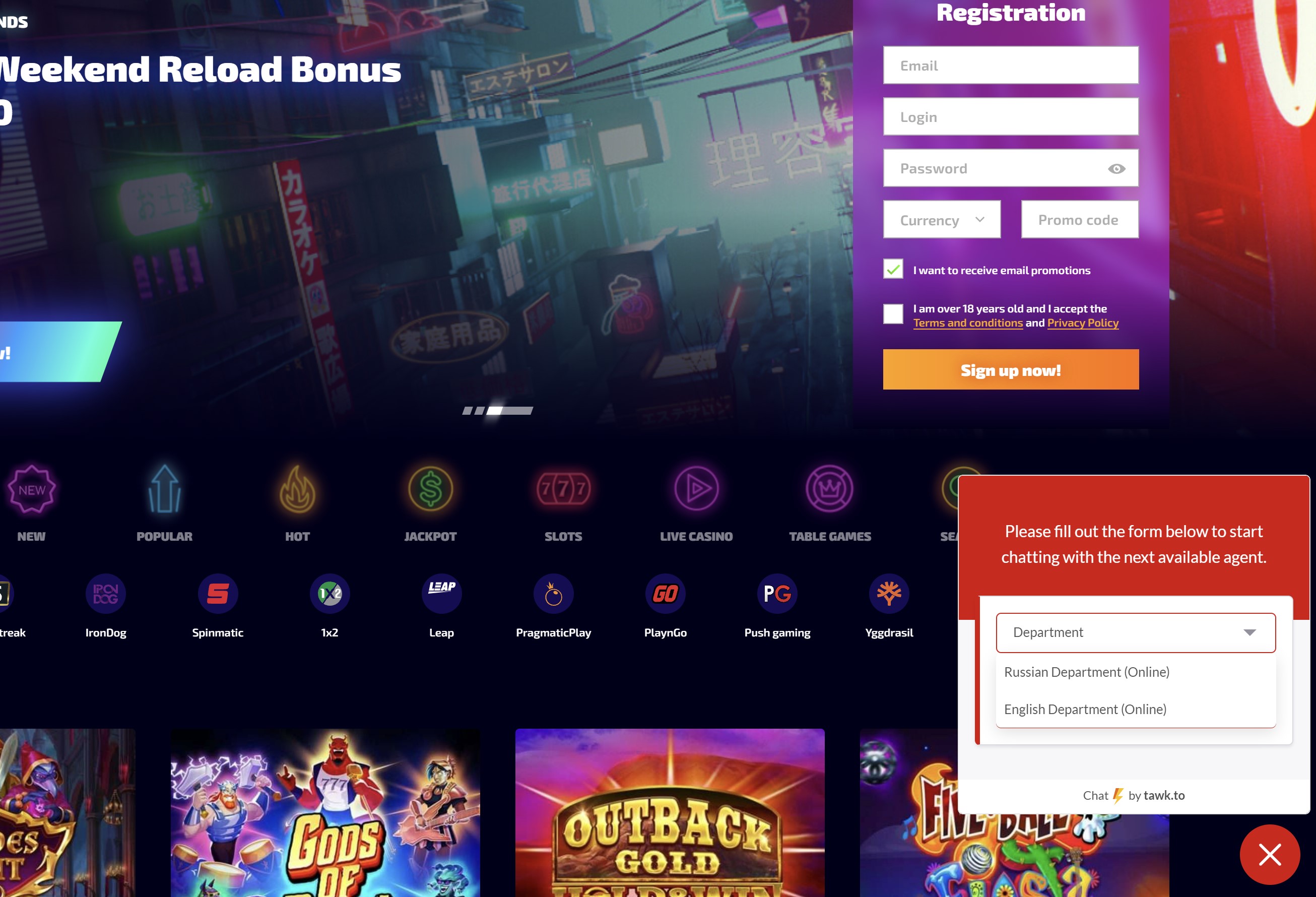
After a completed password change, we may terminate other active sessions for your protection. That signifies you could be logged out on another browser or device and must sign in again with the new password. This is expected and assists stop someone who already had access from staying logged in. If you use the Wild Tokyo Casino app or a saved login, change the saved password there as well. We also recommend reviewing your recent account activity and login history, if available in your settings, to verify that no unfamiliar devices have accessed your profile.